Explain the principle.
Use video to introduce the product, explain a mechanism or guide a demonstration.
CRAVE PRODUCTVIU / BUILT FOR MANUFACTURERS
Turn complex products into clear reasons to buy.
Video explains. Interactive 3D lets buyers explore.
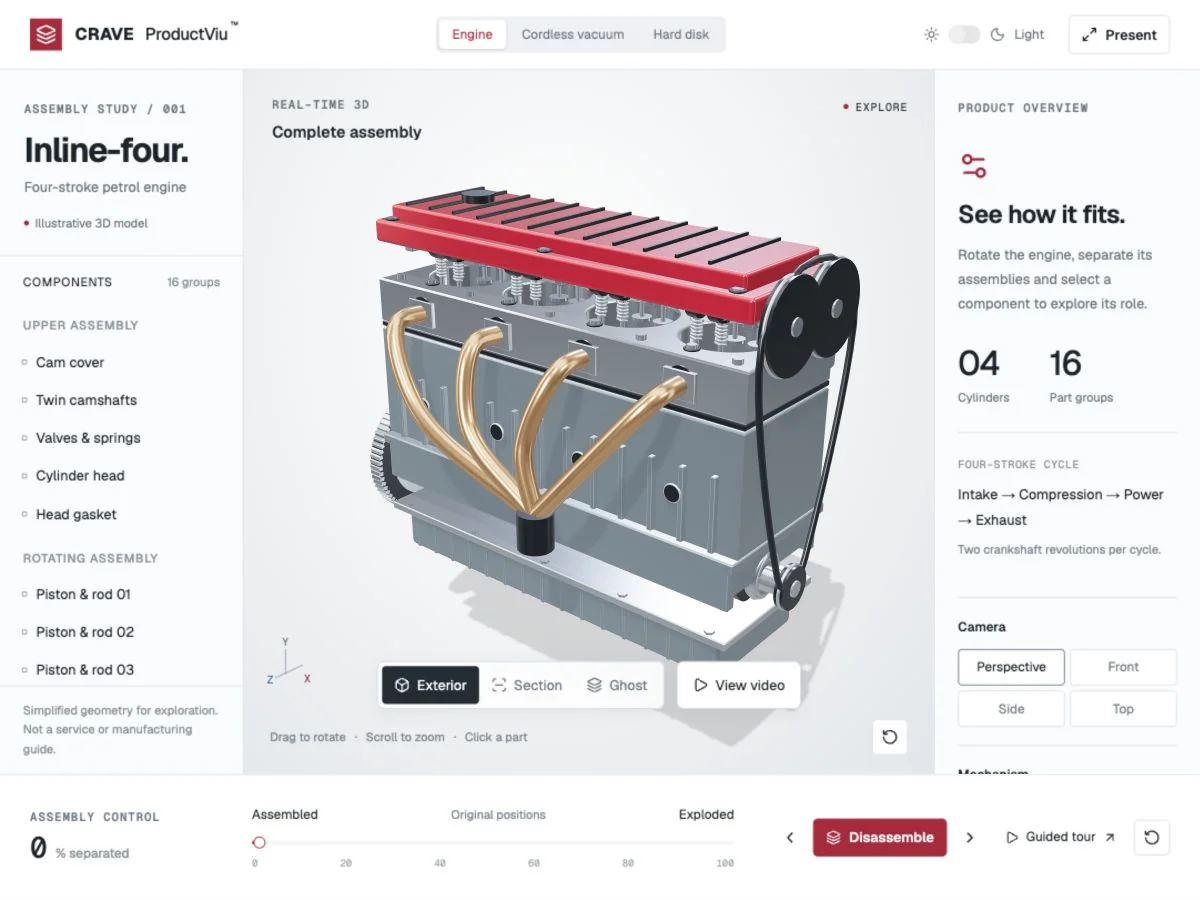
Actual ProductVIU demo. Illustrative models show how the tools work; your product content is developed and reviewed for your brief.
THE MANUFACTURER’S CHALLENGE
You invest in components, materials and mechanisms that make your product work. Much of that value sits inside the casing. A specification sheet can list it. A sales representative can describe it. ProductVIU gives customers a way to see it for themselves.
We developed CRAVE ProductVIU to combine product video with interactive 3D exploration. Buyers can rotate a model, separate assemblies and select labelled parts, moving from the finished product to the details that explain its value.
Use video to introduce the product, explain a mechanism or guide a demonstration.
Give buyers control of the view, assembly separation and the parts they want to inspect.
Use the same visual reference to discuss a component, feature or application with your sales team.
EXPLORE THE PRODUCTVIU TOOLKIT
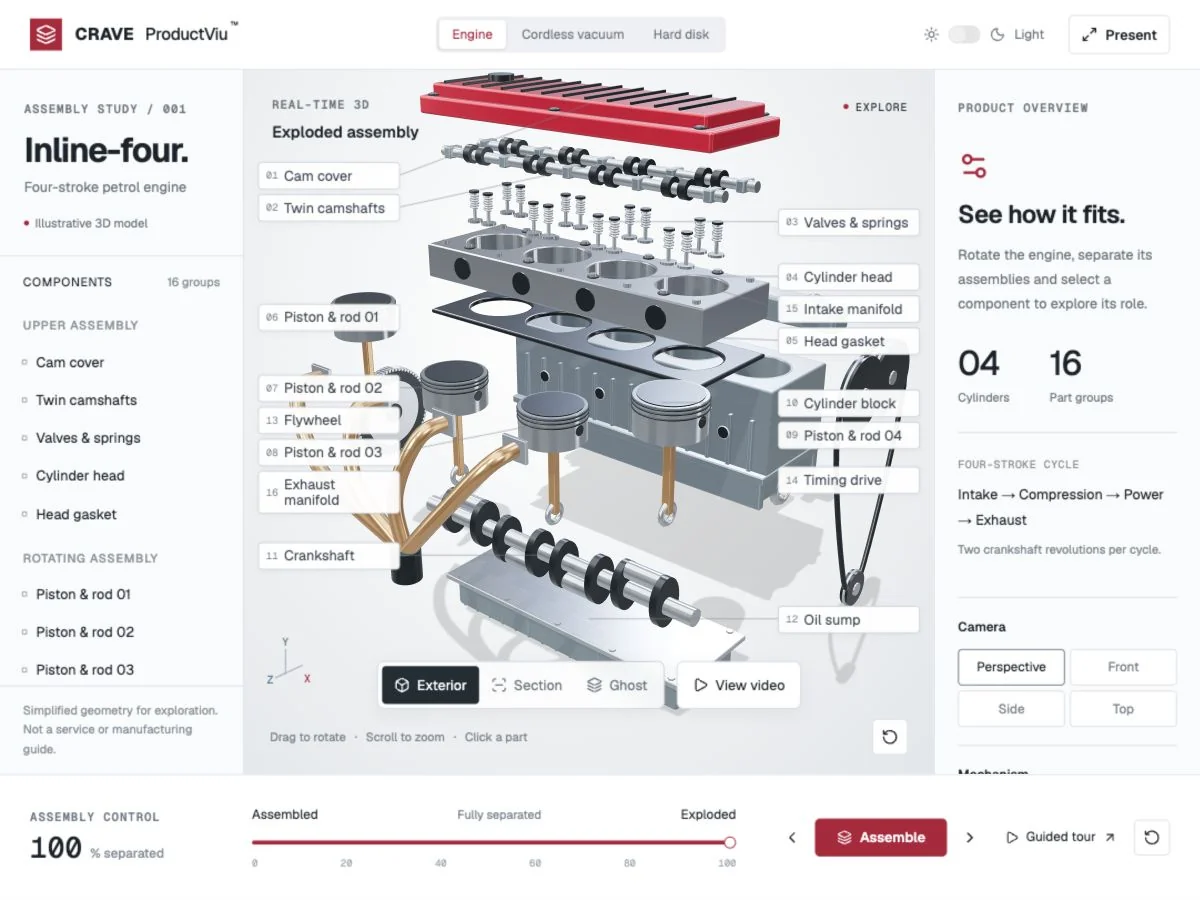
Move between the complete product and an exploded view to reveal how the parts fit together.
Use the separation slider and step controls to explain the assembly at your own pace.
Animate supported moving parts, such as crankshafts and pistons, with adjustable display speed.
Explore the model from different angles and move closer to the details that matter.
Choose a component to see its name and explanation, or isolate it for a focused discussion.
Switch between viewing modes to show the casing, internal layout and relationships between parts.
Jump to perspective, front, side or top views for a consistent product demonstration.
Use a guided sequence to introduce the assembly and highlight selected components.
Open product and overview videos in a centred player with playback and sound controls.
Give the product more screen space for sales meetings, displays and demonstrations.
Choose a visual theme to suit the display, presentation setting and your preferred contrast.
Switch between product demonstrations within one interface. The demo includes an engine, vacuum and hard disk.
Let visitors express interest and request a brochure, quotation or video. Live database and email delivery can be connected to your workflow; the demo form is a mockup.
Use ProductVIU for exhibition demonstrations on touchscreens, kiosks and large displays, with the setup tailored to your event.
Extend your demonstration to compatible VR or mixed-reality glasses through a separately scoped integration, tailored to the selected hardware.
Reach buyers on phones and tablets with touch controls, responsive video and an easy-to-use enquiry flow.
BUILT AROUND YOUR BUSINESS
Your products, branding, content and sales journey. We tailor the models, controls, enquiry workflow, integrations and presentation setup to your audience and requirements.
Try the interactive demo ↗TURN INTEREST INTO A CONVERSATION
From a website visit to a conversation at your exhibition stand, give interested buyers a simple next step. Tap the green enquiry icon to open a touch-friendly form without leaving the product demonstration.

Name, email, phone with country code, project interests and enquiries—all in one form.
Let visitors request a brochure, quotation or video, giving your team a clear reason to follow up.
Support online enquiries and exhibition conversations on tablets, kiosks and touch displays.
Preview of the live demo interface. Submission is currently a mockup; database storage, email delivery and CRM connections can be scoped for your deployment.
Try the enquiry flow ↗WHY MANUFACTURERS SHOULD TAKE THIS SERIOUSLY
Show the construction and design choices behind your claims. Give buyers something concrete to examine when comparing products.
Give representatives a shared demonstration they can use to explain approved features consistently across sales conversations.
Use a browser-based demonstration when shipping equipment or opening a physical assembly is impractical.
Let a prospect revisit the demonstration and share it with colleagues who were not in the original meeting.
Help buyers understand the basics before discussing specifications, fit, pricing and purchase requirements.
Translate technical knowledge into visual explanations that a sales team can present without losing the important detail.
THE EVIDENCE FOR SHOWING
of video marketers surveyed said video improved understanding of their product or service.
Wyzowl · 2026 survey ↗of consumers surveyed said a video had convinced them to buy a product or service.
Wyzowl · 2026 survey ↗average conversion lift reported by Shopify for merchants adding 3D content to their stores.
Shopify · 2022 finding ↗Industry evidence, not measured ProductVIU results or a forecast for manufacturing sales. Wyzowl’s survey included 266 marketers and consumers in late 2025; Shopify’s finding concerns 3D commerce. Results depend on the product, audience and implementation.
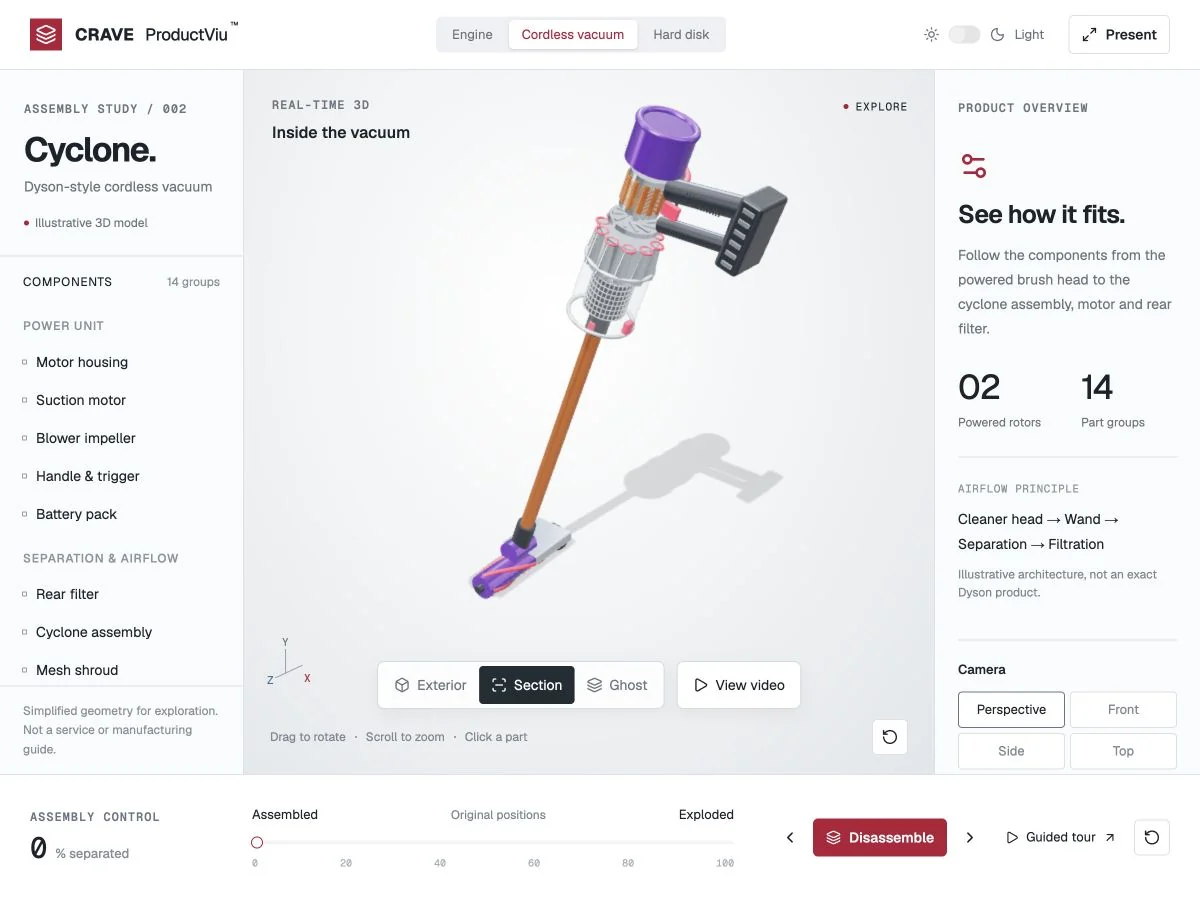
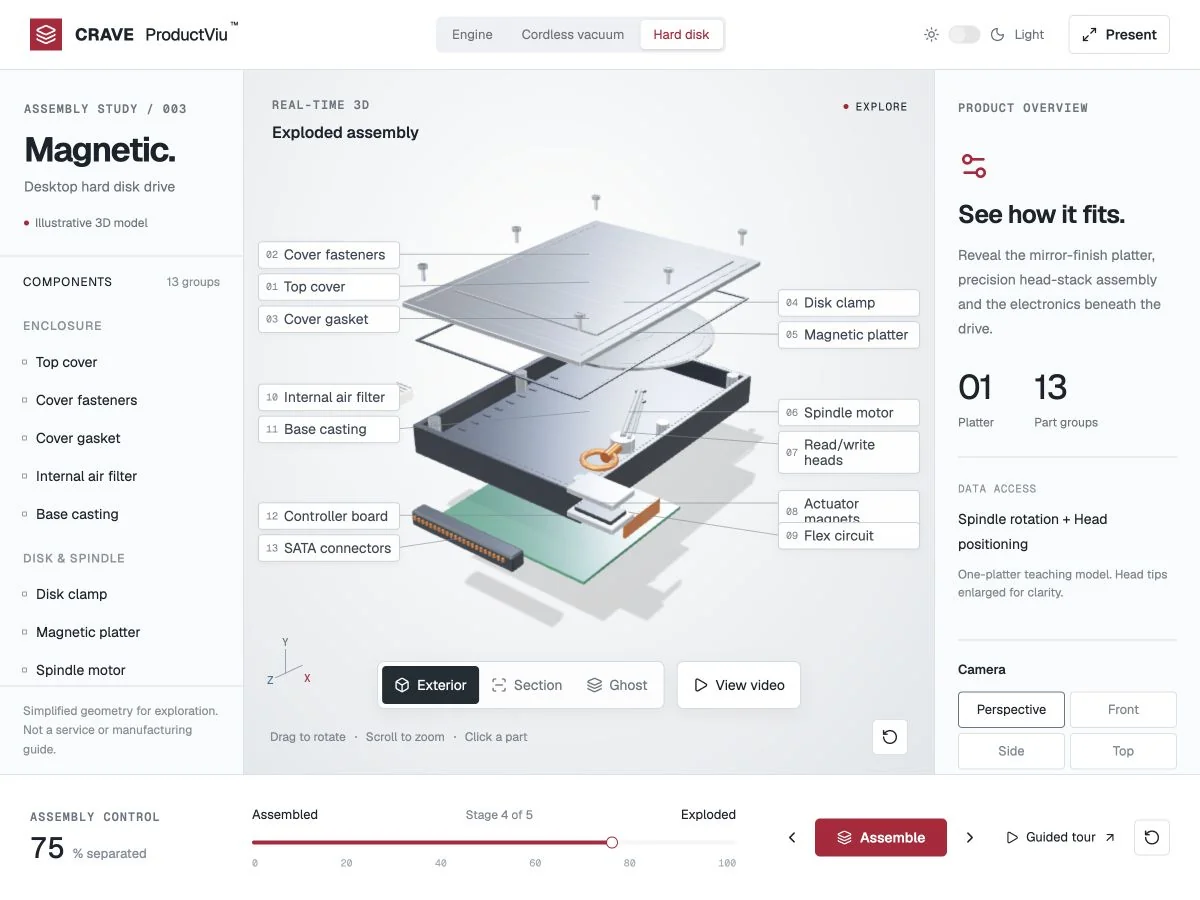
Screenshots from the live demo. These are illustrative examples, not customer case studies or manufacturer endorsements.
FROM YOUR PRODUCT TO A SALES TOOL
Choose the product, audience and features that matter to the sale. Identify what needs a visual explanation.
Share suitable product images, specifications, existing video and any 3D assets you can provide. We assess what can be reused and what needs to be created.
Agree the model detail, labels, assembly views and video content. Your team reviews the product information before publication.
Plan its use on your website, in distributor presentations or at exhibitions. Agree delivery, hosting and updates within the project scope.
PRACTICAL QUESTIONS
Send what you have. We’ll assess existing models, images and specifications and confirm the modelling work needed before quoting.
We can plan a simplified presentation around the features you approve for publication. You decide which details belong in the sales demonstration.
Yes—browser-based demonstrations can support sales meetings and follow-up. We’ll agree the devices, access and hosting arrangements needed for your rollout.
No. It is a product explanation and sales tool. Specifications, operating instructions and suitability checks remain part of your normal technical process.
That depends on the model complexity, number of products, video requirements and delivery scope. Share one product and your target date so we can propose a defined starting point.
YOUR PRODUCT. CLEARLY UNDERSTOOD.
Send us your product link or brochure, the features buyers struggle to understand and where your team needs to present it. We’ll help define your first ProductVIU demonstration.